Do you hear a high-pitched noise when the port camera mirror is in one of the opened and/or closed positions? If so, it is possible the linear actuator is jittering a bit around its position.
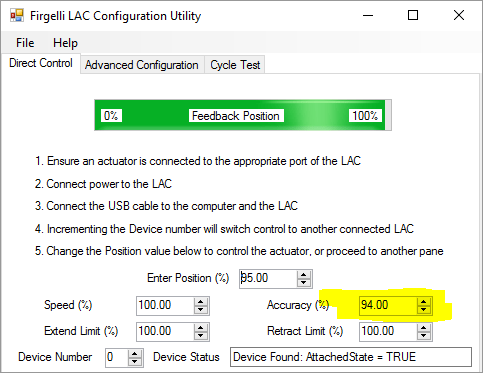
One way to solve this issue is to this install the Firgelli LAC configuration utility under yeti/firgelli. Follow the instructions in that directory about how to install the Windows 10 driver. Connect the mirror controller to the computer’s USB port. After it is done, you should be able to launch the configuration utility. Within the configuration utility, in the Direct Control Tab, decrease the accuracy parameter to a value of 94%:
Then, click on the Advanced Configuration tab and click on the Disable Defaults button:
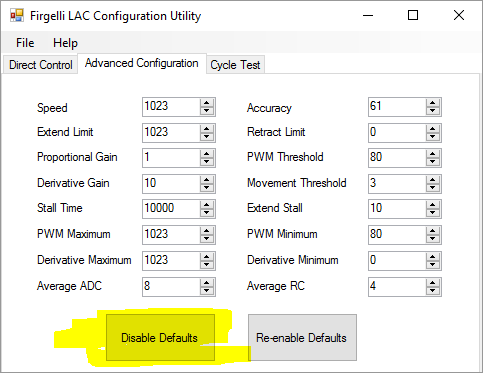
This will save the accuracy settings in the EEPROM and disable the default settings set by the pots on the board. Now you can quit the configuration utility and disconnect the USB cable from the board.
Problem fixed!
(If not, let us know…)

 Scanbox
Upgrading from ‘shoebox’ Scanbox to ‘Tower! Question regarding the linear actuator connection. Going left to right into the Tower, should the wire order be R,B?
I believe is black and red from left to right… but when the software is installed you can easily check if the mirror is moved according to the checkbox. If not, simply switch the order. Nothing will happen to the actuator if connected in reverse.